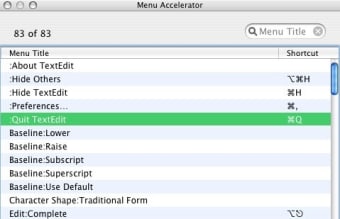
Note that haxies are technically hacking your OS X system and should be used with care as they can make fundamental changes to the way it works which can be hard to reverse. In addition, there's no real need to use Menu Master in Snow Leopard anyway. You can go to your System Preferences, select Keyboard Shortcuts and Application Shortcuts and easily change Menu Items without the need for a haxie like Menu Master.
Menu Master is slightly faster however. And it offers you the possibility to leave a Menu item completely bank with no command unlike System Preferences. It's also a bit more flexible than System Preferences because it allows you to define almost any command you want to
However, there's no real need for Menu Master although if you want full control over Menu commands, you may find it useful.
Changes
Fixed a compile bug that prevented Menu Master from loading in PowerPC applications (like Word 2004).
Pros
Faster than System Preferences
Allows you to leave a Menu item with no command
Cons
Using haxies can be dangerous for OS X
No real need to use it Snow Leopard
Menu Master is a haxie that allows you to change or remove menu shortcut keys in any application with ease. It takes about 15 seconds to learn how to use Menu Master, and saves you lots of time later because you can use the shortcuts you defined and do not bother remembering which ones the developer of the software invented for you. Additionally, you can set shortcuts to any menu item that had no shortcuts, or remove shortcuts from menu items. Menu Master gives you a complete control over your menus, all just for affordable US $10.
Features:
Assign new shortcut keys to menu items in any application (switch languages quickly with new shortcuts, for example)
Redefine existing shortcut keys in the menu items to the ones you like and remember;
Remove unwanted shortcut keys (such as Command-K for Block Pop-Up Windows in Safari)
Works in Carbon and Cocoa applications
Easy to configure as it comes in usual Preference Pane form, accessible through System Preferences
Laws concerning the use of this software vary from country to country. We do not encourage or condone the use of this program if it is in violation of these laws. Softonic may receive a referral fee if you click or buy any of the products featured here.